Introduction
Spending money on Meta Ads without proper measurement means you’re optimizing on guesswork. To truly understand whether your Facebook and Instagram ads are driving results, you need to know which metrics matter, how to set up accurate tracking, and which platforms work together to give you the full picture. This guide covers exactly how to measure Meta Ads performance correctly.
Step 1: Understand the Core Meta Ads Metrics
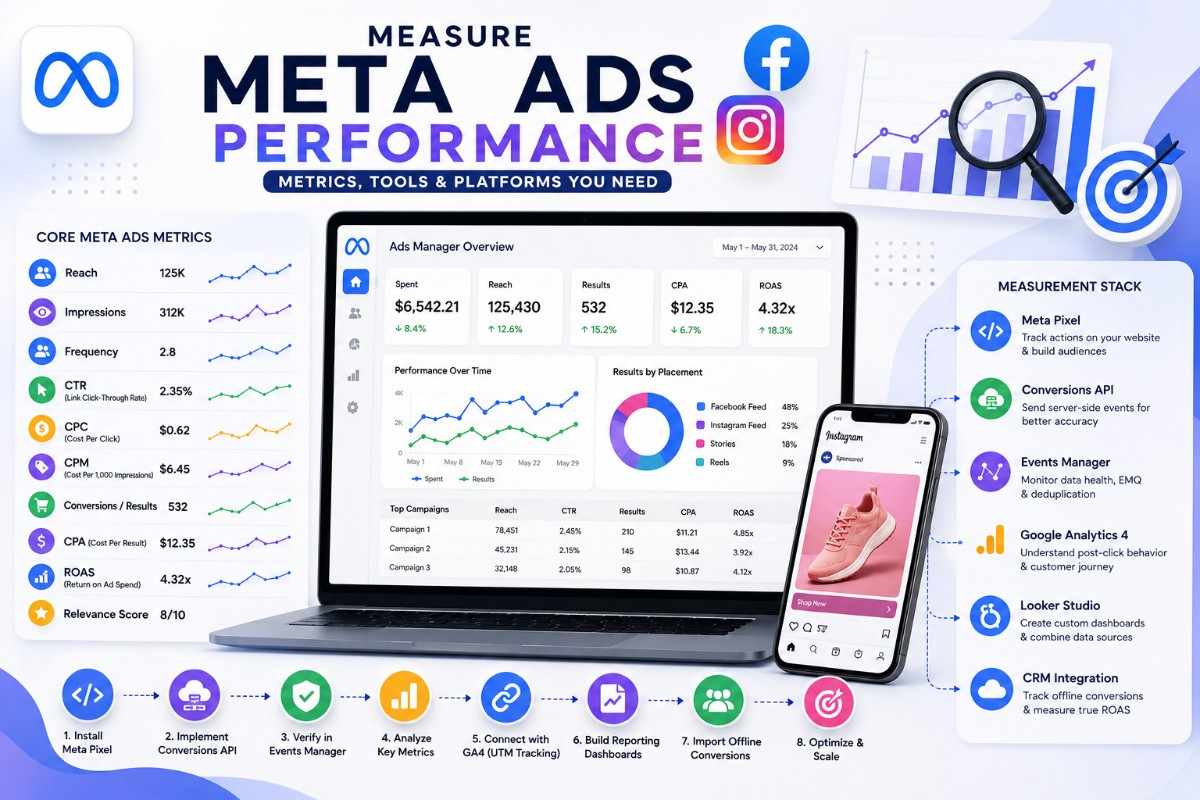
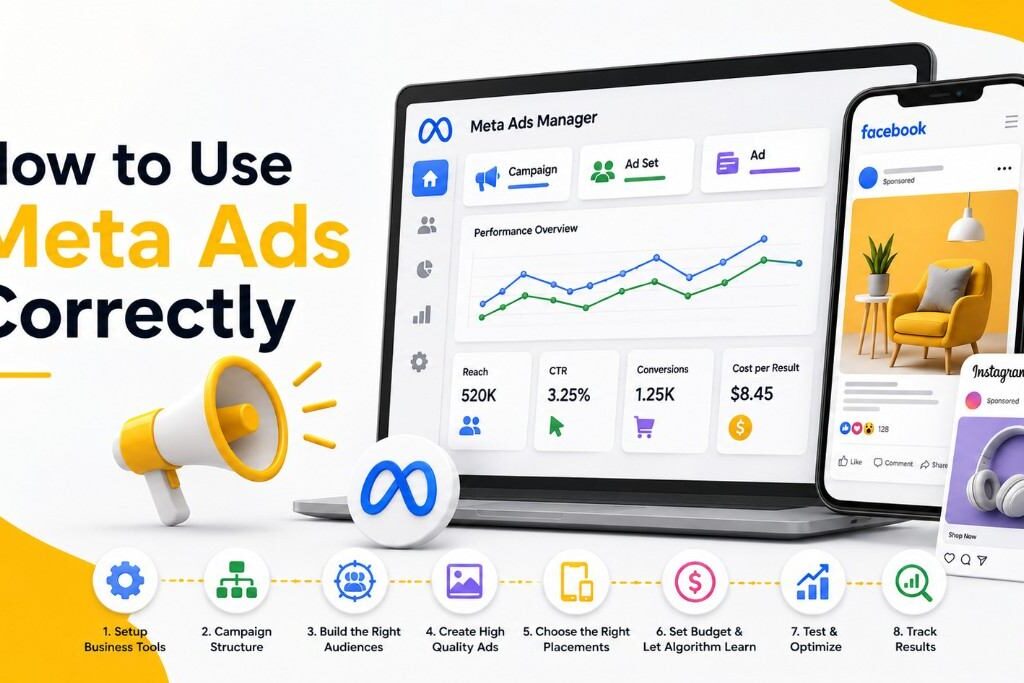
Meta Ads Manager reports a wide range of native metrics. The ones that matter most:
- Reach – number of unique people who saw your ad
- Impressions – total number of times your ad was shown
- Frequency – average number of times each person saw your ad (watch for ad fatigue above 3–4)
- CTR (Click-Through Rate) – percentage of people who clicked after seeing your ad
- CPC (Cost Per Click) – average cost per click
- CPM (Cost Per 1,000 Impressions) – cost efficiency of reach
- Conversions/Results – completed goal actions tied to your campaign objective
- CPA (Cost Per Result) – cost per conversion
- ROAS (Return on Ad Spend) – revenue generated per dollar spent
- Relevance Score / Quality Ranking – Meta’s rating of ad quality and audience fit
These native metrics show what happened inside the platform, but real measurement requires connecting Meta Ads to a broader tracking ecosystem.
Step 2: Set Up the Meta Pixel
The Meta Pixel is a snippet of code placed on your website that tracks visitor actions and reports them back to Meta Ads Manager.
- Install the Pixel via Meta Events Manager or through Google Tag Manager
- Track standard events like PageView, AddToCart, InitiateCheckout, and Purchase
- Use custom conversions for actions unique to your business (e.g., quote requests, downloads)
- Verify events are firing correctly using the Meta Pixel Helper browser extension
The Pixel is the foundation for both conversion tracking and retargeting audiences.
Step 3: Implement the Conversions API (CAPI)
Since Apple’s App Tracking Transparency (ATT) and browser privacy changes reduced the accuracy of browser-based Pixel tracking, the Conversions API has become essential.
- CAPI sends conversion data directly from your server to Meta, bypassing browser-based tracking limitations
- Running Pixel and CAPI together (deduplicated via event ID) improves data accuracy and event match quality
- Higher Event Match Quality (EMQ) scores in Events Manager lead to better optimization and lower costs
Businesses relying solely on the Pixel today are likely undercounting conversions — CAPI closes that gap.
Step 4: Use Meta Events Manager to Monitor Data Health
Events Manager is where you verify your tracking setup is working correctly:
- Check the Diagnostics tab for tracking errors or warnings
- Review Event Match Quality scores per event
- Confirm deduplication between Pixel and CAPI events is functioning
- Set up Aggregated Event Measurement (AEM) to prioritize up to 8 conversion events per domain, required for accurate iOS 14.5+ measurement
Step 5: Connect Meta Ads Data with Google Analytics 4 (GA4)
While Meta reports its own conversions, cross-referencing with GA4 provides an independent view of on-site behavior:
- Compare Meta-reported conversions against GA4 sessions and conversions from Meta traffic (via UTM parameters)
- Use UTM tagging on all Meta Ads links to ensure accurate source/medium tracking in GA4
- Analyze on-site behavior (bounce rate, time on site, funnel drop-off) for users arriving from Meta Ads
Note: Meta and GA4 numbers will rarely match exactly due to different attribution windows and tracking methods — use each for what it’s best at, not as a reconciliation exercise.
Step 6: Understand Meta’s Attribution Windows
Meta allows you to choose attribution windows that determine how conversions are credited:
- 1-day click – credits conversions within 24 hours of a click
- 7-day click – credits conversions within 7 days of a click (most common default)
- 1-day view – credits conversions within 24 hours of an ad impression (no click)
Choosing the right window affects reported conversion volume significantly. Shorter windows show more conservative (often more accurate) results; longer windows can overstate impact, especially for impulse-driven campaigns.
Step 7: Build Centralized Reporting Dashboards
Relying only on Ads Manager’s interface can be limiting for ongoing analysis. Combine data using:
- Looker Studio (Google Data Studio) – connects Meta Ads data (via connectors) alongside GA4 and other sources into unified reports
- Meta Ads Manager’s custom reports and saved templates – for recurring internal reporting
- Meta Ads Scripts or third-party tools (e.g., Supermetrics) – for automated data pulls into spreadsheets or BI tools
Centralizing data makes it easier to compare spend, ROAS, and CPA trends across both Meta Ads and other channels like Google Ads.
Step 8: Track Offline Conversions
For businesses where sales close outside the website (phone calls, in-store visits, CRM-based deals):
- Use Offline Conversions or the Conversions API for offline events to upload data from your CRM back into Meta
- Integrate with tools like HubSpot or Salesforce to track leads through to closed revenue
- This connects ad spend to real business outcomes, not just on-site micro-conversions
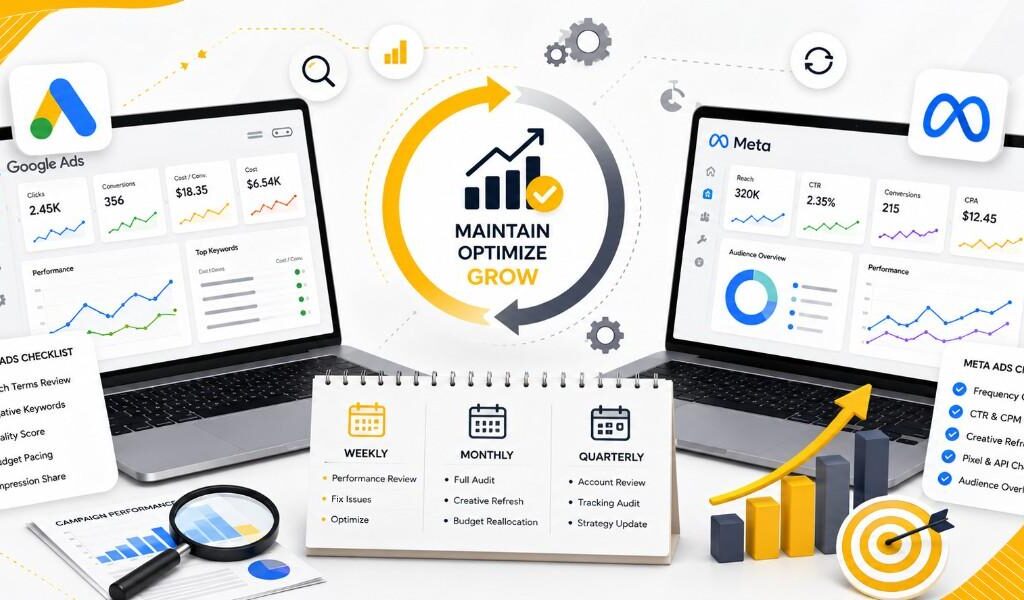
Step 9: Review Performance at the Right Intervals
- Daily – check spend pacing, frequency, and anomalies
- Weekly – review CTR, CPM, and conversion trends per ad set
- Monthly – analyze CPA, ROAS, and Event Match Quality
- Quarterly – reassess attribution windows, tracking setup, and KPI alignment with business goals
Common Measurement Mistakes to Avoid
- Relying only on the Pixel without implementing the Conversions API
- Ignoring Event Match Quality scores in Events Manager
- Not using UTM parameters, making cross-platform comparison in GA4 impossible
- Expecting Meta and GA4 numbers to match exactly (they measure differently by design)
- Skipping offline conversion tracking, undervaluing true campaign ROAS
Conclusion
Measuring Meta Ads correctly requires more than glancing at Ads Manager. It means building a connected stack — Meta Pixel, Conversions API, Events Manager, GA4, and CRM integrations — so you can see the full path from impression to revenue. Get this measurement foundation right, and your creative and audience optimization decisions will be based on accurate data instead of platform-reported guesses.