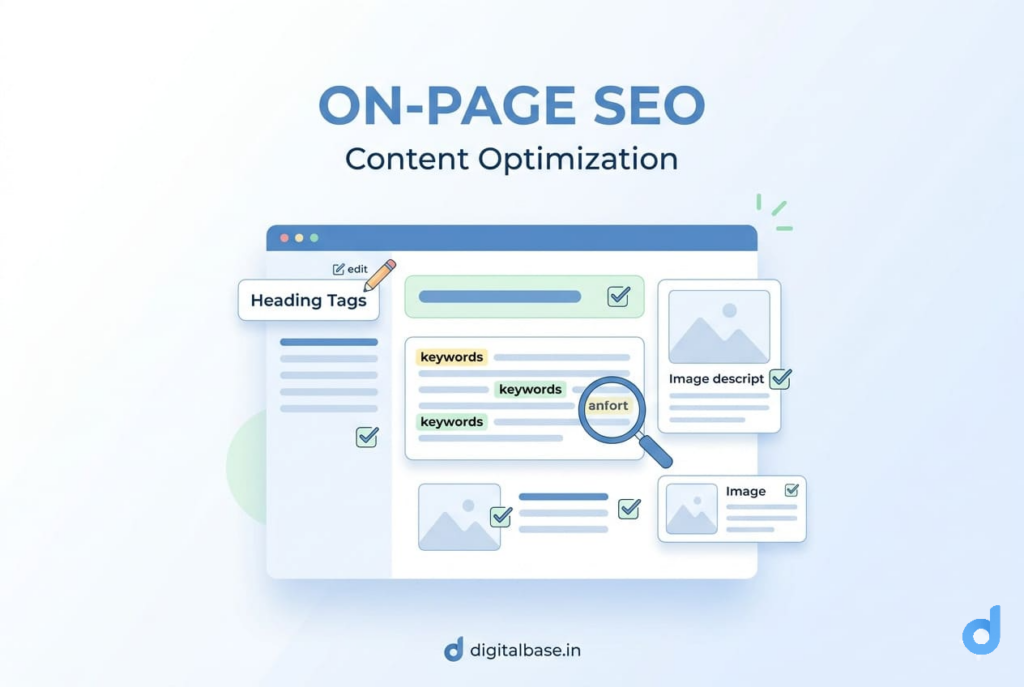
On-Page SEO is the practice of optimising individual web pages so that search engines like Google can understand what your page is about — and rank it higher in search results.
Everything that lives on your page — your title, headings, content, images, and links — can either help or hurt your rankings. On-Page SEO is about making every element work in your favour.
Simple analogy
Think of your web page as a book. On-Page SEO is how you write the title, chapter headings, and back cover summary — so Google (the librarian) knows exactly what your book is about and who to recommend it to.
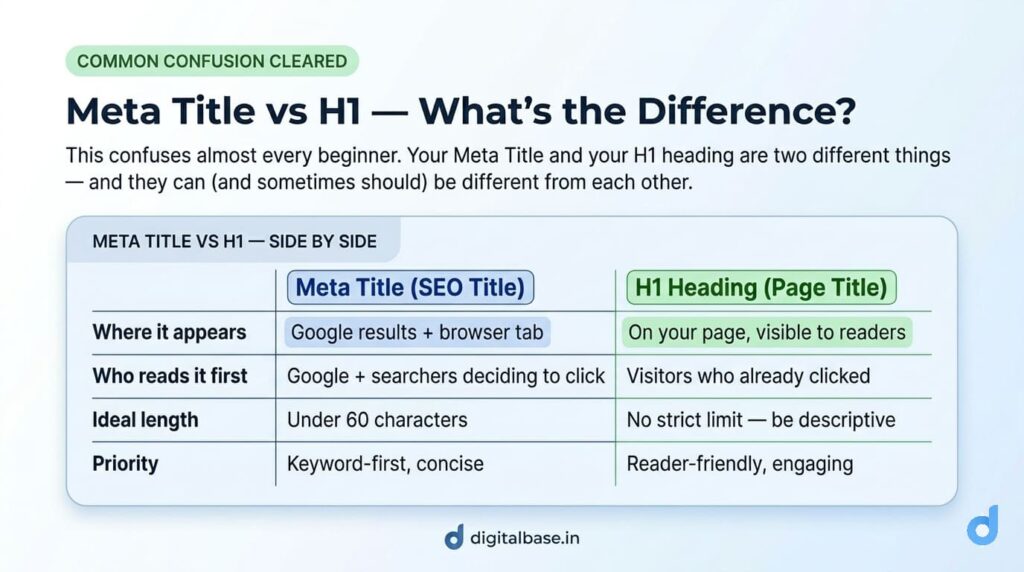
The Meta Title (also called the SEO Title) is the clickable headline that appears in Google search results and in the browser tab. It is the single most powerful On-Page SEO element — because it’s the first thing both Google and the reader see.
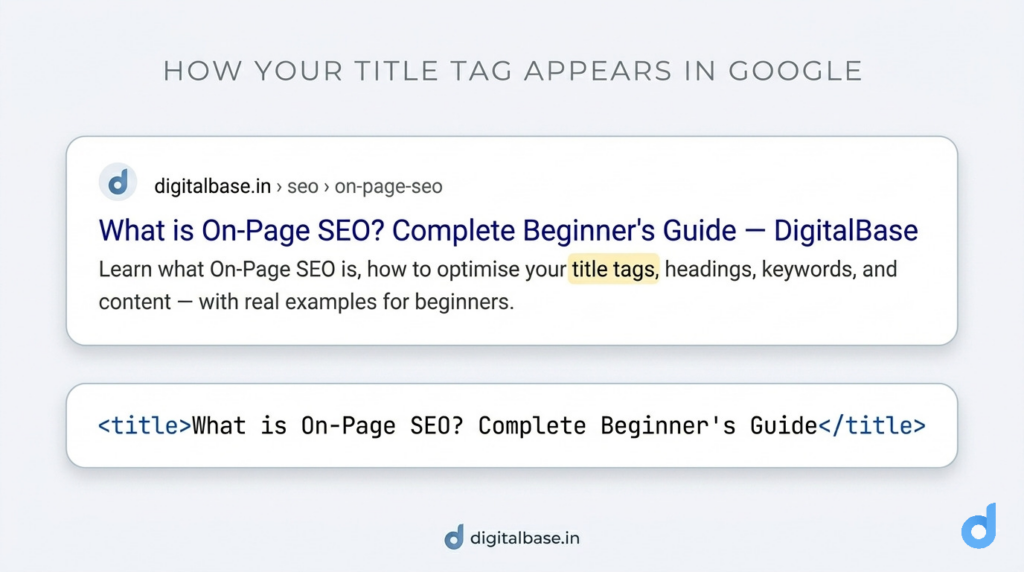
How to set your Meta Title in WordPress
Install Yoast SEO or RankMath → open any post or page → scroll to the SEO plugin box at the bottom → click “Edit Snippet” → type your Meta Title.
This overrides what WordPress uses by default.
The meta description is the short paragraph that appears below your title in Google results. Google doesn’t use it as a ranking factor directly — but it directly affects whether people click on your result.
Think of your meta description as a free advertisement in Google. A good one gets more clicks. More clicks signals to Google that your page is valuable — which can indirectly help your ranking.
<!-- Above Image -- > <meta name="description" content="Learn what On-Page SEO is with real examples. Covers title tags, keywords, headings and more — perfect for beginners."/>Real example
You run a Blog Website. Your meta description could say:
“Learn SEO from scratch — step-by-step beginner guide with real examples, tips, and free tools. Start ranking your website on Google today.”
That’s specific, keyword-rich, and gives the user a reason to click.
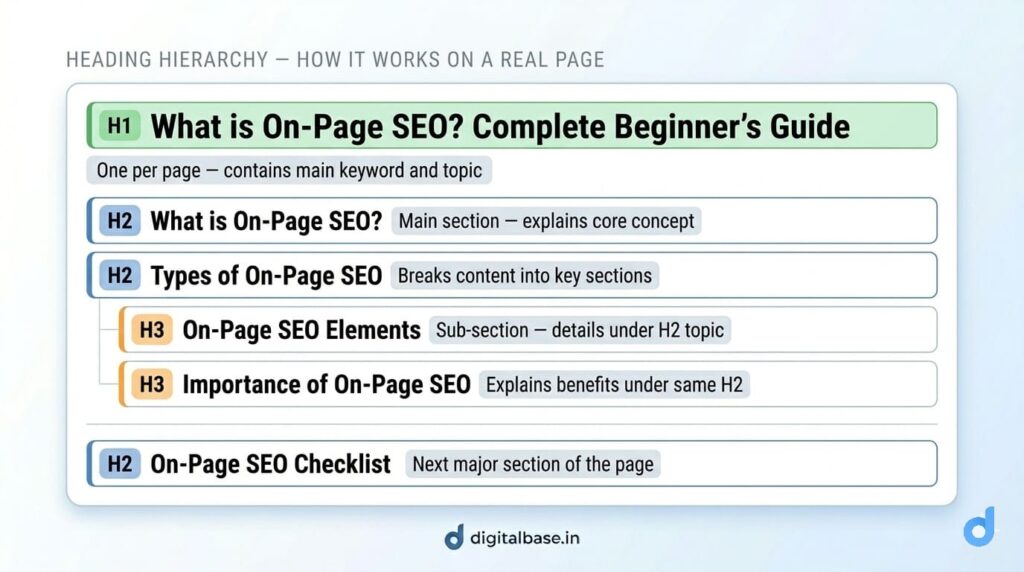
Headings are the titles and subtitles within your content. They help Google understand the structure and hierarchy of your page — and help readers scan your content quickly.
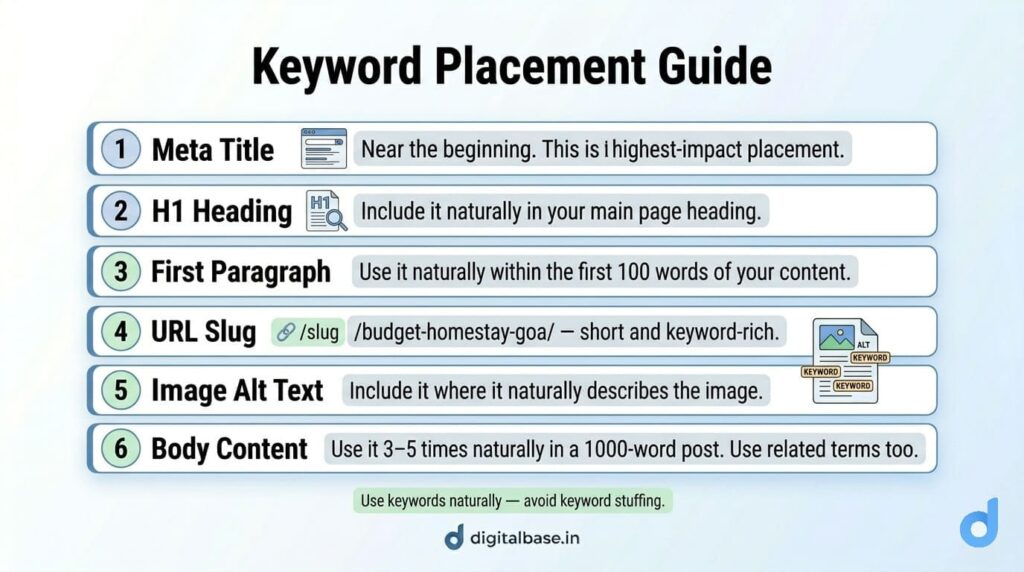
A keyword is the word or phrase someone types into Google. On-Page SEO means making sure your page contains the right keywords in the right places — naturally, without forcing them. So Google knows your page is relevant to those searches.
Example
If someone searches “what is SEO for beginners” and your page uses that exact phrase in the title, headings, and content — Google understands your page is highly relevant.
That’s keyword optimization
Avoid keyword stuffing
Writing “buy cheap laptops, best cheap laptops, cheap laptops India, cheap laptops online” over and over is keyword stuffing. Write naturally — use your keyword once in the title, once in the H1, and a few times in the body.
Your URL (the web address of your page) should be short, readable, and include your focus keyword. Google reads your URL to understand what your page is about — and users see it in search results too.
Clean URL vs messy URL
✓ GOOD digitalbase.in/on-page-seo/ Short · keyword · readable
✗ BAD digitalbase.in/p?id=4721&cat=38&ref=blog_post_2025 Long · no keyword · confusing for both Google and userson-page-seo not on_page_seo/on-page-seo/ not /On-Page-SEO/Google cannot see your images the way a human can. It reads the alt text (alternative text) you write to understand what the image shows. Proper image optimisation helps you rank in both regular Google Search and Google Image Search.
<!-- Bad: Google has no idea what this image is --> <img src="IMG_4729.png " alt=""/>
<!-- Good: Google understands both the image and the context --> <img src="on-page-seo-checklist.png" alt="on-page SEO checklist for beginners"/>on-page-seo-checklist.png . Never upload IMG_4729.pngAn internal link is a link from one page on your website to another page on your own website. It helps Google discover more of your pages, understand how they relate, and decide which pages are most important.
Real example
This page about On-Page SEO links to the Off-Page SEO guide at the bottom. That internal link tells Google: “these two pages are related.” It also keeps readers on your site longer — which Google notices.
All the technical optimisation in the world won’t save a page with thin, unhelpful content. Google’s number one goal is to show users the most helpful, relevant, and trustworthy content for their search query.
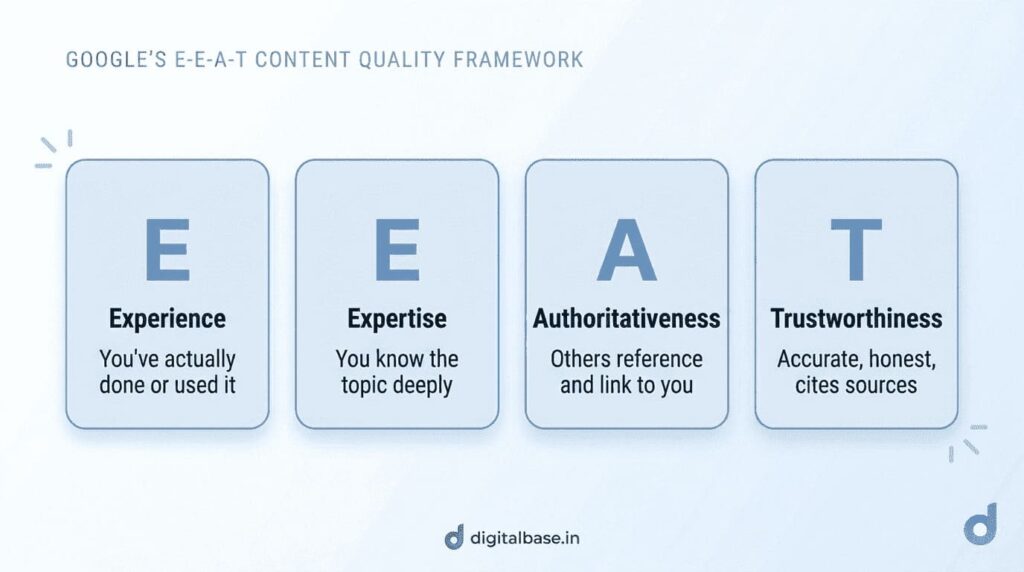
Google evaluates content quality using a framework called E-E-A-T:
You publish a post on:
“How to Rank on Google in 2026”
Google treats this as an experience-based topic, so your content should include:
– Author name (e.g., Written by Vandana, SEO Practitioner)
– Real examples (screenshots of rankings, case studies)
– Tools referenced (Google Search Console, Analytics)
– “Last updated” date Honest claims (no “rank #1 overnight” promises)
Use this before hitting publish on any page or post. Getting all of these right puts you ahead of the majority of websites competing for the same keywords.
✓ Focus keyword chosen — You know exactly which search query this page targets.
✓ Meta Title — Under 60 characters, keyword near the start, brand at the end.
✓ Meta Description written — 120–158 characters, includes keyword, ends with a call to action.
✓ One H1 with keyword — The keyword appears naturally in the first few words of your H1.
✓ H2/H3 headings used — Content is broken into clear, logical sections with descriptive headings.
✓ Keyword in first paragraph — Used naturally within the first 100 words.
✓ Clean URL with keyword — Short, lowercase, hyphens, no stop words, no session parameters.
✓ All images optimised — Descriptive file names, alt text written, images compressed before upload.
✓ 2–3 internal links added — Links to related pages on your site using descriptive anchor text.
✓ Content is complete and helpful — Fully answers the reader’s question. No thin content.
✓ One external link to a credible source — Optional but boosts E-E-A-T. Link to SEBI, government sites, or trusted sources relevant to your topic
Focus on one primary keyword per page. Use it naturally 3–5 times in a 1,000-word post. You can also include related secondary keywords (LSI keywords) throughout your content — but always write for the reader first.
No — it’s ongoing. You should revisit your pages every 6–12 months to update content, refresh examples, and improve headings based on what’s working. Google rewards fresh, up-to-date content.
On-Page SEO is necessary but not sufficient on its own. For competitive keywords, you’ll also need Off-Page SEO (backlinks) and Technical SEO. For low-competition keywords, strong on-page optimisation alone can often rank you.
Have a project in mind? Let’s create a digital solution that fits your goals and budget
We help businesses build, grow and succeed online through website development, SEO, social media management and paid advertising — with practical solutions at affordable prices.
Follow DigitalBase for digital marketing tips, SEO insights, website tips and business growth strategies.
Copyright © 2026 DigitalBase. All Rights Reserved.
Call Us