How to Measure Meta Ads Performance
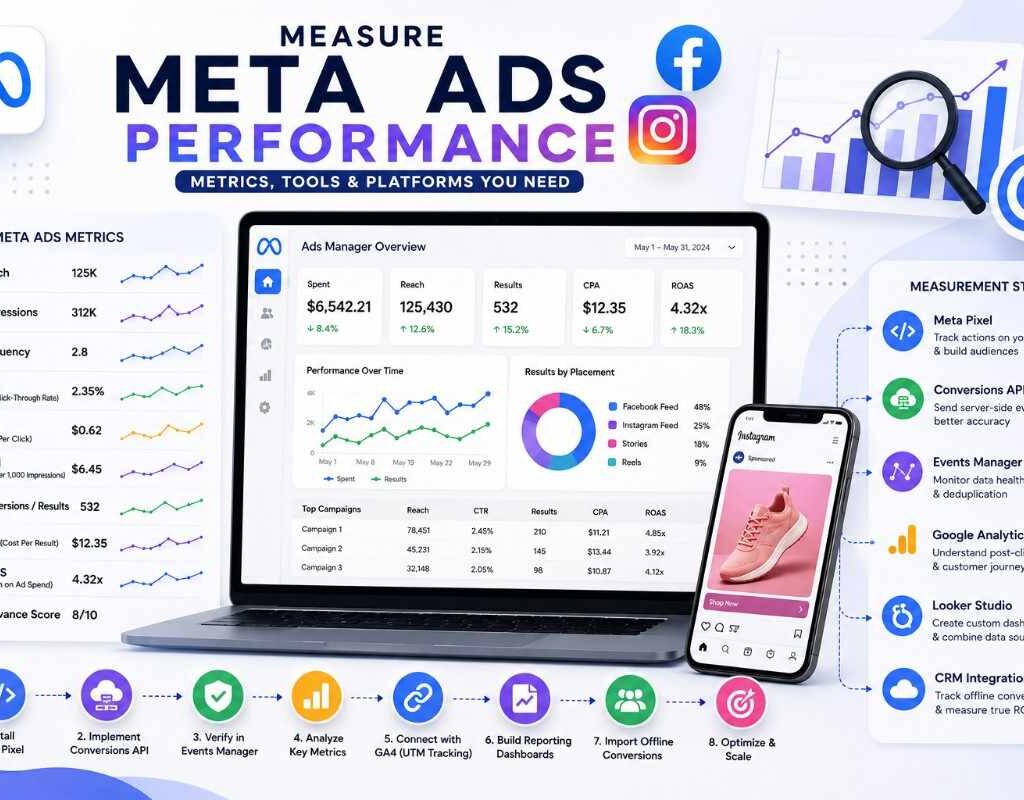
Blog Home Blog What is SEO? Vandana Raj September 4, 2026 Comments Introduction Spending money on Meta Ads without proper measurement means you’re optimizing on guesswork. To truly understand whether your Facebook and Instagram ads are driving results, you need to know which metrics matter, how to set up accurate tracking, and which platforms work together to give you the full picture. This guide covers exactly how to measure Meta Ads performance correctly. Step 1: Understand the Core Meta Ads Metrics Meta Ads Manager reports a wide range of native metrics. The ones that matter most: Reach – number of unique people who saw your ad Impressions – total number of times your ad was shown Frequency – average number of times each person saw your ad (watch for ad fatigue above 3–4) CTR (Click-Through Rate) – percentage of people who clicked after seeing your ad CPC (Cost Per Click) – average cost per click CPM (Cost Per 1,000 Impressions) – cost efficiency of reach Conversions/Results – completed goal actions tied to your campaign objective CPA (Cost Per Result) – cost per conversion ROAS (Return on Ad Spend) – revenue generated per dollar spent Relevance Score / Quality Ranking – Meta’s rating of ad quality and audience fit These native metrics show what happened inside the platform, but real measurement requires connecting Meta Ads to a broader tracking ecosystem. Step 2: Set Up the Meta Pixel The Meta Pixel is a snippet of code placed on your website that tracks visitor actions and reports them back to Meta Ads Manager. Install the Pixel via Meta Events Manager or through Google Tag Manager Track standard events like PageView, AddToCart, InitiateCheckout, and Purchase Use custom conversions for actions unique to your business (e.g., quote requests, downloads) Verify events are firing correctly using the Meta Pixel Helper browser extension The Pixel is the foundation for both conversion tracking and retargeting audiences. Step 3: Implement the Conversions API (CAPI) Since Apple’s App Tracking Transparency (ATT) and browser privacy changes reduced the accuracy of browser-based Pixel tracking, the Conversions API has become essential. CAPI sends conversion data directly from your server to Meta, bypassing browser-based tracking limitations Running Pixel and CAPI together (deduplicated via event ID) improves data accuracy and event match quality Higher Event Match Quality (EMQ) scores in Events Manager lead to better optimization and lower costs Businesses relying solely on the Pixel today are likely undercounting conversions — CAPI closes that gap. Step 4: Use Meta Events Manager to Monitor Data Health Events Manager is where you verify your tracking setup is working correctly: Check the Diagnostics tab for tracking errors or warnings Review Event Match Quality scores per event Confirm deduplication between Pixel and CAPI events is functioning Set up Aggregated Event Measurement (AEM) to prioritize up to 8 conversion events per domain, required for accurate iOS 14.5+ measurement Step 5: Connect Meta Ads Data with Google Analytics 4 (GA4) While Meta reports its own conversions, cross-referencing with GA4 provides an independent view of on-site behavior: Compare Meta-reported conversions against GA4 sessions and conversions from Meta traffic (via UTM parameters) Use UTM tagging on all Meta Ads links to ensure accurate source/medium tracking in GA4 Analyze on-site behavior (bounce rate, time on site, funnel drop-off) for users arriving from Meta Ads Note: Meta and GA4 numbers will rarely match exactly due to different attribution windows and tracking methods — use each for what it’s best at, not as a reconciliation exercise. Step 6: Understand Meta’s Attribution Windows Meta allows you to choose attribution windows that determine how conversions are credited: 1-day click – credits conversions within 24 hours of a click 7-day click – credits conversions within 7 days of a click (most common default) 1-day view – credits conversions within 24 hours of an ad impression (no click) Choosing the right window affects reported conversion volume significantly. Shorter windows show more conservative (often more accurate) results; longer windows can overstate impact, especially for impulse-driven campaigns. Step 7: Build Centralized Reporting Dashboards Relying only on Ads Manager’s interface can be limiting for ongoing analysis. Combine data using: Looker Studio (Google Data Studio) – connects Meta Ads data (via connectors) alongside GA4 and other sources into unified reports Meta Ads Manager’s custom reports and saved templates – for recurring internal reporting Meta Ads Scripts or third-party tools (e.g., Supermetrics) – for automated data pulls into spreadsheets or BI tools Centralizing data makes it easier to compare spend, ROAS, and CPA trends across both Meta Ads and other channels like Google Ads. Step 8: Track Offline Conversions For businesses where sales close outside the website (phone calls, in-store visits, CRM-based deals): Use Offline Conversions or the Conversions API for offline events to upload data from your CRM back into Meta Integrate with tools like HubSpot or Salesforce to track leads through to closed revenue This connects ad spend to real business outcomes, not just on-site micro-conversions Step 9: Review Performance at the Right Intervals Daily – check spend pacing, frequency, and anomalies Weekly – review CTR, CPM, and conversion trends per ad set Monthly – analyze CPA, ROAS, and Event Match Quality Quarterly – reassess attribution windows, tracking setup, and KPI alignment with business goals Common Measurement Mistakes to Avoid Relying only on the Pixel without implementing the Conversions API Ignoring Event Match Quality scores in Events Manager Not using UTM parameters, making cross-platform comparison in GA4 impossible Expecting Meta and GA4 numbers to match exactly (they measure differently by design) Skipping offline conversion tracking, undervaluing true campaign ROAS Conclusion Measuring Meta Ads correctly requires more than glancing at Ads Manager. It means building a connected stack — Meta Pixel, Conversions API, Events Manager, GA4, and CRM integrations — so you can see the full path from impression to revenue. Get this measurement foundation right, and your creative and audience optimization decisions will be based on accurate data instead of platform-reported guesses. Recent Posts How to Measure Meta Ads Performance How to
How to Measure Google Ads Performance
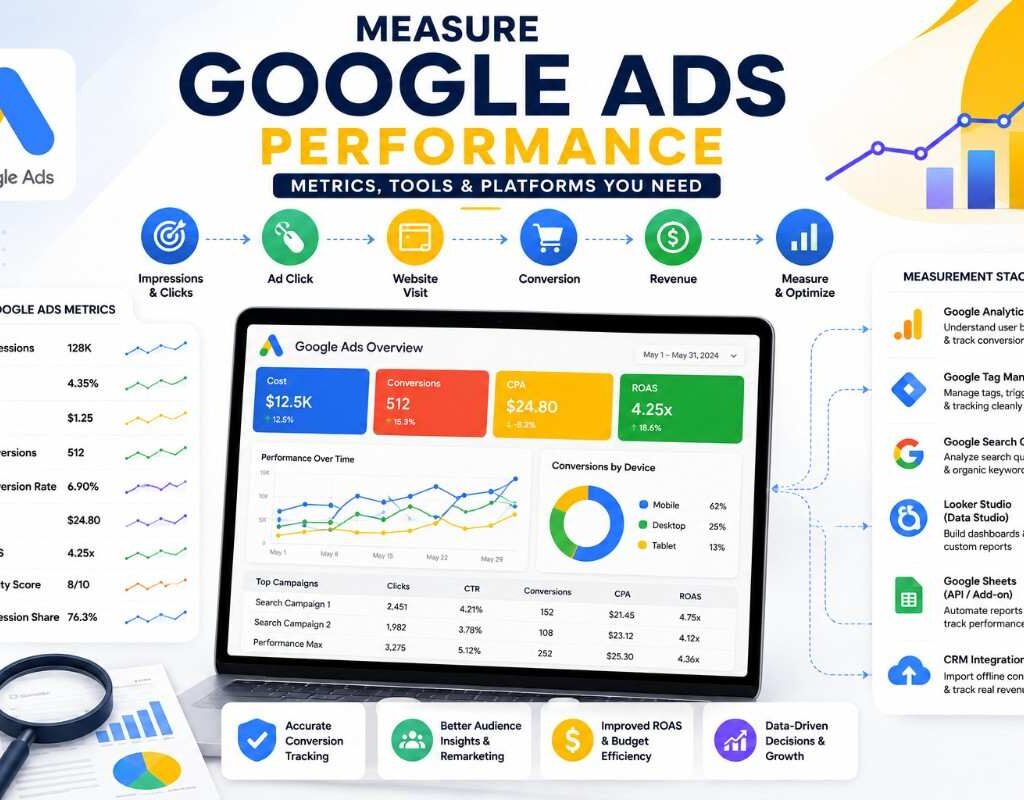
How to Measure Google Ads Performance Home How to Measure Google Ads Performance How to Measure Google Ads Performance: Metrics, Tools & Platforms You Need Vandana Raj September 4, 2026 Comments Introduction Running Google Ads campaigns without proper measurement is like driving with your eyes closed. To know whether your paid ads are actually working, you need the right metrics, the right tracking setup, and the right platforms working together. This guide covers exactly how to measure Google Ads performance correctly, from core metrics to the full measurement stack. Step 1: Understand the Core Google Ads Metrics Before connecting external platforms, you need to know what Google Ads reports natively: Impressions – how many times your ad was shown CTR (Click-Through Rate) – percentage of people who clicked after seeing your ad CPC (Cost Per Click) – average amount paid per click Conversions – completed goal actions (purchase, form fill, call, sign-up) Conversion Rate – percentage of clicks that turned into conversions CPA (Cost Per Acquisition) – cost per conversion ROAS (Return on Ad Spend) – revenue generated per dollar spent Quality Score – Google’s rating of ad relevance, expected CTR, and landing page experience Impression Share – percentage of available impressions your ads actually received These metrics tell you what happened inside the platform, but real measurement requires connecting Google Ads to a broader ecosystem of tools. Step 2: Set Up Conversion Tracking Properly Accurate measurement starts with conversion tracking. Without it, every other metric is guesswork. Install the Google Tag (or use Google Tag Manager) on your website Define conversion actions in Google Ads (purchases, leads, calls, sign-ups) Use Enhanced Conversions to improve match accuracy using hashed customer data For phone-based businesses, set up call conversion tracking For e-commerce, enable transaction-specific conversion values so ROAS calculations are accurate, not estimated Step 3: Connect Google Analytics 4 (GA4) Google Analytics 4 is essential for understanding what happens after the click — something Google Ads alone can’t fully show. Linking GA4 to Google Ads allows you to: See user behavior on-site after ad clicks (pages viewed, time on site, bounce rate) Build audiences based on website behavior to feed back into Google Ads targeting Track multi-session, multi-device conversion paths Use GA4’s Explorations to analyze funnels and drop-off points beyond last-click data This connection turns raw click data into a real picture of the customer journey. Step 4: Use Google Tag Manager for Cleaner Tracking Google Tag Manager (GTM) acts as a control center for all your tracking tags: Deploy the Google Ads conversion tag, GA4 tag, and any third-party pixels without editing site code repeatedly Use triggers to fire conversions only on real actions (e.g., “Thank You” page views, button clicks) Test tags with GTM’s Preview Mode before publishing, reducing tracking errors Clean tag management prevents duplicate or missing conversions — one of the most common causes of inaccurate Google Ads reporting. Step 5: Monitor Search Query Data with Search Console (Organic Context) While Google Search Console tracks organic search, not paid, comparing it alongside Google Ads gives valuable context: Identify keyword overlap between paid and organic traffic Spot opportunities to reduce paid spend on terms already ranking well organically Understand overall search visibility for your brand and category Step 6: Use Attribution Models Correctly Google Ads and GA4 both offer multiple attribution models: Last-click – gives full credit to the final interaction before conversion Data-driven attribution (DDA) – uses machine learning to distribute credit across the customer journey (Google’s recommended default) Position-based / linear models – distribute credit more evenly across touchpoints For businesses with longer sales cycles or multiple touchpoints, data-driven attribution typically gives a more accurate picture than last-click alone. Step 7: Build Centralized Reporting Dashboards Relying on the native Google Ads dashboard alone can be limiting. Combine data using: Looker Studio (formerly Google Data Studio) – connects Google Ads, GA4, and other sources into custom visual reports Google Sheets with the Google Ads API/Add-on – for lightweight, automated performance tracking Google Ads Scripts – for automated alerts (e.g., budget pacing, CPA spikes) A centralized dashboard makes it easier to compare spend, conversions, and ROAS trends over time without logging into multiple platforms. Step 8: Track Offline Conversions (If Applicable) For businesses where the final sale happens outside the website (phone calls, in-store visits, CRM-based sales): Use Offline Conversion Import to upload conversion data from your CRM back into Google Ads Connect Google Ads with Salesforce or HubSpot (via native integrations) to track leads all the way to closed revenue This closes the loop between ad spend and actual business outcomes, not just on-site actions Step 9: Review Performance at the Right Intervals Measurement isn’t just about tools — it’s about timing: Daily – check spend pacing and anomalies Weekly – review CTR, CPC, and conversion trends Monthly – analyze CPA, ROAS, and attribution shifts Quarterly – evaluate whether tracking setup and KPIs still match business goals Common Measurement Mistakes to Avoid Relying only on last-click attribution for multi-touchpoint journeys Not linking GA4 to Google Ads, missing post-click behavior data Counting duplicate conversions due to poor tag management Ignoring offline conversion data, undervaluing true ROAS Reviewing performance too infrequently to catch issues early Conclusion Measuring Google Ads correctly goes far beyond checking clicks and impressions. It requires a connected stack — Google Ads, GA4, Google Tag Manager, Looker Studio, and CRM integrations — working together to show the full path from ad click to revenue. Get the tracking foundation right, and every optimization decision you make afterward will be based on real data, not guesswork. Recent Posts How to Measure Meta Ads Performance How to Measure Google Ads Performance How to Maintain Google Ads and Meta Ads Campaigns How to Use Meta Ads Correctly How to Use Google Ads Correctly Let’s Build Something Great Together Have a project in mind? Let’s create a digital solution that fits your goals and budget Conact us
How to Maintain Google Ads and Meta Ads Campaigns
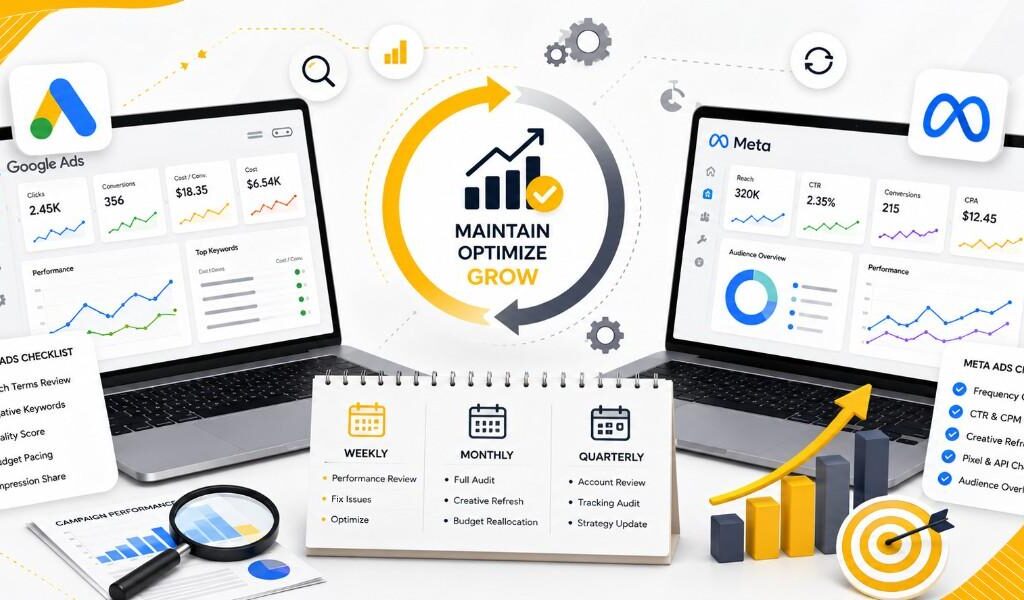
How to Maintain Google Ads and Meta Ads Campaigns Home How to Maintain Google Ads and Meta Ads Campaigns How to Maintain Google Ads and Meta Ads Campaigns for Long-Term Success Vandana Raj August 31, 2026 Comments Introduction Launching a campaign is just the beginning. The real difference between advertisers who waste budget and those who consistently grow their business lies in ongoing campaign maintenance. This guide covers how to maintain both Google Ads and Meta Ads for sustained performance. Why Maintenance Matters Paid ad platforms are dynamic auctions. Competitor activity, audience saturation, seasonal trends, and algorithm updates constantly shift performance. A campaign that performed well last month can decline without warning if left unmanaged. Regular campaign optimization is not optional — it’s essential. Weekly Maintenance Tasks For Google Ads: Review the search terms report and add new negative keywords Check Quality Score trends on key keywords Pause underperforming keywords or ads (low CTR, high cost, no conversions) Monitor budget pacing to avoid overspending or underspending Review impression share to see if you’re losing visibility to budget or rank limitations For Meta Ads: Check frequency scores to catch early signs of ad fatigue Review CTR and CPM trends across ad sets Refresh creative that’s been running more than 2–3 weeks with high frequency Confirm Pixel/Conversions API events are firing correctly Check audience overlap between ad sets to avoid internal competition Monthly Maintenance Tasks Conduct a full performance audit: compare CPA, ROAS, and conversion volume month-over-month Refresh ad creative across both platforms to combat fatigue Test new audience segments or keyword expansions Review landing page performance — bounce rate, load speed, conversion rate Reallocate budget toward top-performing campaigns and away from underperformers Update seasonal messaging if relevant (holidays, sales events, industry cycles) Quarterly Maintenance Tasks Perform a full account structure review — are campaigns still aligned with business goals? Reassess bidding strategies based on accumulated conversion data Audit tracking setup (GA4, Meta Pixel, Conversions API) to ensure data accuracy Benchmark performance against industry averages for your sector Evaluate whether budget allocation between Google Ads and Meta Ads still reflects your funnel priorities Key Metrics to Monitor Consistently Metric Platform What It Tells You CTR Both Ad relevance and creative appeal CPC Google Ads Cost efficiency of clicks CPM Meta Ads Audience competition/cost Quality Score Google Ads Overall ad relevance and landing page quality Frequency Meta Ads Risk of ad fatigue CPA Both Cost efficiency of conversions ROAS Both Overall profitability Signs Your Campaign Needs Attention Rising CPA with declining conversion volume CTR dropping steadily over 2+ weeks Frequency climbing above 4 on Meta without new creative Quality Score dropping on Google Ads Budget consistently not spending fully (targeting too narrow or bids too low) Building a Sustainable Optimization Routine The most successful advertisers treat paid ads maintenance as a repeatable system, not a reactive fire-drill. A simple routine: Daily – quick glance at spend pacing and any anomalies Weekly – deeper review of search terms, frequency, and underperformers Monthly – full audit, creative refresh, and budget reallocation Quarterly – strategic review of structure, tracking, and goals Conclusion Maintaining Google Ads and Meta Ads campaigns is an ongoing discipline, not a one-time setup task. Consistent monitoring, timely creative refreshes, careful budget management, and regular audits are what separate campaigns that plateau from campaigns that keep improving. Treat optimization as a habit, and your paid advertising ROI will compound over time. Recent Posts How to Maintain Google Ads and Meta Ads Campaigns How to Use Meta Ads Correctly How to Use Google Ads Correctly Google Ads vs Meta Ads What Are Google Ads and Meta Ads? A Beginner's Guide to Paid Advertising Let’s Build Something Great Together Have a project in mind? Let’s create a digital solution that fits your goals and budget Conact us
How to Use Meta Ads Correctly
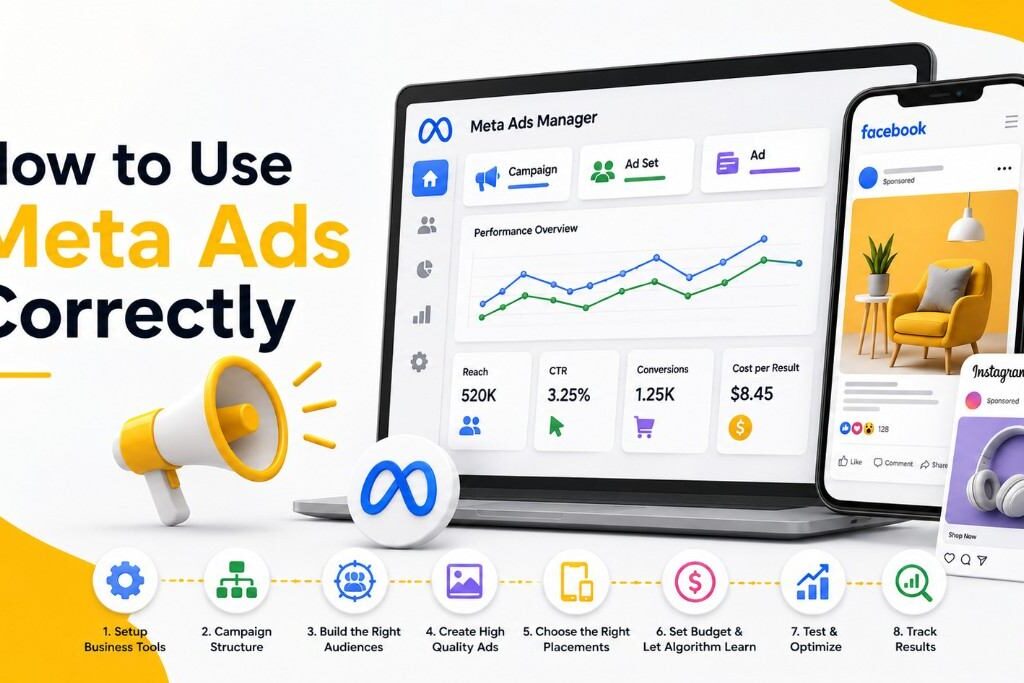
How to Use Meta Ads Correctly Home How to Use Meta Ads Correctly How to Use Meta Ads Correctly: Facebook and Instagram Advertising Guide Vandana Raj August 31, 2026 Comments Introduction Meta Ads can deliver excellent results, but success depends on understanding the platform’s unique mechanics — audience targeting, creative-first design, and the Meta algorithm’s learning process. Here’s how to use Meta Ads correctly from setup to optimization. Step 1: Set Up Meta Ads Manager and Business Tools Properly Before launching campaigns, make sure you have: A Meta Business Suite / Business Manager account The Meta Pixel (or Conversions API) installed on your website Facebook Page and Instagram account properly linked Verified domain for accurate event tracking Proper setup of the Meta Pixel and Conversions API is critical for accurate conversion tracking, especially after iOS privacy changes reduced browser-based tracking accuracy. Step 2: Understand Meta’s Campaign Structure Meta Ads follows a three-level structure: Campaign – defines your objective (awareness, traffic, engagement, leads, sales, app promotion) Ad Set – defines your audience, budget, placement, and schedule Ad – the actual creative (image, video, copy) Choosing the correct campaign objective matters — it tells Meta’s algorithm what outcome to optimize for. Step 3: Build the Right Audiences Meta offers three core audience targeting types: Core Audiences – built from demographics, interests, and behaviors Custom Audiences – built from your own data (website visitors, customer lists, app users, engagement) Lookalike Audiences – new users who resemble your best existing customers A strong strategy typically combines retargeting custom audiences (people who already know you) with lookalike audiences (cold prospecting) for balanced funnel coverage. Step 4: Prioritize Creative Quality Because Meta Ads live in social feeds, creative is the single biggest performance driver. Best practices include: Use native-feeling content (not overly polished “ad-like” visuals) Test video, static image, and carousel formats Keep text overlay minimal on images Design for mobile-first, vertical formats (especially for Stories and Reels) Include a clear hook in the first 3 seconds of video ads Step 5: Write Effective Ad Copy Meta ad copy should be: Short and scroll-stopping in the primary text Focused on a single clear benefit or offer Paired with a strong call-to-action button (Shop Now, Learn More, Sign Up) Step 6: Choose the Right Placements Meta allows Automatic Placements (recommended for most advertisers) across Facebook Feed, Instagram Feed, Stories, Reels, and Audience Network. Automatic placements let Meta’s algorithm find the lowest-cost, best-performing spots — manual placement selection is best reserved for advanced testing. Step 7: Set Budgets to Allow the Algorithm to Learn Meta Ads relies on machine learning to optimize delivery. To exit the learning phase efficiently: Aim for at least 50 conversions per ad set per week Avoid making frequent edits during the learning phase (this resets it) Use Campaign Budget Optimization (CBO) to let Meta allocate spend across ad sets automatically Step 8: Test Systematically Run structured A/B tests on: Creative formats (video vs. static vs. carousel) Audience types (interest-based vs. lookalike vs. retargeting) Ad copy and hooks Campaign objectives Avoid testing too many variables at once — isolate one element per test for clear insights. Step 9: Monitor Key Metrics Track these core Meta Ads metrics regularly: CTR (click-through rate) – creative and relevance indicator CPM (cost per 1,000 impressions) – audience competition indicator CPA (cost per acquisition) – efficiency of conversions Frequency – how often the same person sees your ad (watch for ad fatigue above 3–4) ROAS (return on ad spend) – overall profitability Common Mistakes to Avoid Editing campaigns too frequently, which resets the learning phase Using low-quality or overly promotional creative Ignoring frequency and letting ad fatigue hurt performance Not using retargeting audiences for warm traffic Skipping the Meta Pixel/Conversions API setup Conclusion Using Meta Ads correctly means treating creative as your primary lever, giving the algorithm room to learn, and layering custom, lookalike, and core audiences strategically. Combined with disciplined testing and metric tracking, Meta Ads can become a powerful engine for both awareness and conversions. Recent Posts How to Use Meta Ads Correctly How to Use Google Ads Correctly Google Ads vs Meta Ads What Are Google Ads and Meta Ads? A Beginner's Guide to Paid Advertising On-Page SEO Guide: Learn How to Optimize Your Website Let’s Build Something Great Together Have a project in mind? Let’s create a digital solution that fits your goals and budget Conact us
How to Use Google Ads Correctly
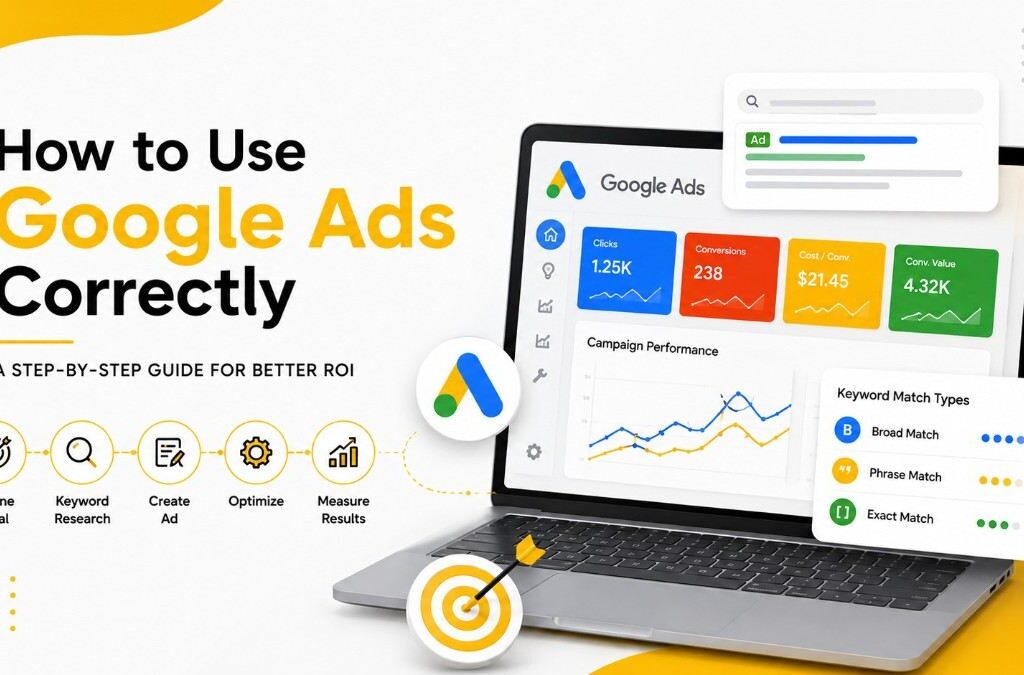
How to Use Meta Ads Correctly Home How to Use Meta Ads Correctly How to Use Google Ads Correctly: A Step-by-Step Guide for Better ROI Vandana Raj August 31, 2026 Comments Introduction Running Google Ads without a clear strategy is one of the fastest ways to waste ad spend. This guide walks through how to set up and use Google Ads correctly, step by step, so your campaigns are built on a solid foundation from day one. Step 1: Define a Clear Campaign Goal Before touching the platform, decide what success looks like: Website traffic Lead generation Online sales App installs Brand awareness Your goal determines your campaign type (Search, Display, Shopping, Video, Performance Max) and your bidding strategy. Skipping this step is the most common mistake beginners make with Google Ads campaign setup. Step 2: Structure Your Account Properly A well-organized account structure improves both performance and manageability: Campaigns → organized by goal or product category Ad Groups → organized by tightly related keyword themes Keywords → specific search terms within each ad group Ads → 2–3 ad variations per ad group for testing Avoid cramming unrelated keywords into one ad group — this hurts your Quality Score, which directly affects your cost-per-click and ad position. Step 3: Master Keyword Match Types Understanding keyword match types is essential to controlling who sees your ads: Broad match – widest reach, least control (use cautiously) Phrase match – matches searches containing your phrase’s meaning Exact match – tightest control, matches close variations of your exact term A good practice is starting with phrase and exact match keywords, then expanding based on search term reports. Step 4: Use Negative Keywords Negative keywords prevent your ad from showing on irrelevant searches, saving budget. For example, if you sell premium products, you might add “cheap” and “free” as negative keywords to avoid attracting low-intent clicks. Review your search terms report weekly to catch new negative keyword opportunities. Step 5: Write Compelling, Relevant Ad Copy Since Google Search Ads are text-based, copy quality matters enormously: Include your primary keyword in the headline Highlight a clear value proposition or offer Add a strong call-to-action (CTA) Use ad extensions (sitelinks, callouts, structured snippets) to increase visibility and click-through rate Step 6: Choose the Right Bidding Strategy Google Ads offers multiple bidding strategies: Manual CPC – full control, best for beginners learning the platform Maximize Clicks – good for driving traffic Target CPA (cost-per-acquisition) – ideal once you have conversion data Target ROAS (return on ad spend) – best for e-commerce with strong tracking Start conservatively and shift to automated bidding once you have enough conversion history (typically 30+ conversions per month) for Google’s algorithm to optimize effectively. Step 7: Set Up Conversion Tracking Correctly Without accurate conversion tracking, you’re optimizing blindly. Install: Google Tag or Google Tag Manager on your website Conversion actions for purchases, form submissions, calls, or sign-ups Google Analytics 4 (GA4) linked to your Google Ads account for deeper insights Step 8: Optimize Landing Pages Your ad is only half the equation. Landing pages should: Match the ad’s message and keyword (message match) Load quickly (under 3 seconds ideally) Have a single, clear conversion goal Be mobile-optimized Poor landing page experience lowers your Quality Score and increases your cost-per-click. Step 9: Test and Iterate Use A/B testing on: Ad headlines and descriptions Landing pages Bidding strategies Audience targeting layers (if using Search with audience signals) Common Mistakes to Avoid Ignoring the search terms report Using only broad match without monitoring closely Sending traffic to a generic homepage instead of a targeted landing page Setting and forgetting campaigns without regular optimization Conclusion Using Google Ads correctly comes down to structure, relevance, and continuous optimization. Get the foundation right — clear goals, tight ad groups, strong keyword hygiene, and solid tracking — and the platform will reward you with better Quality Scores and lower costs. Recent Posts How to Use Meta Ads Correctly How to Use Google Ads Correctly Google Ads vs Meta Ads What Are Google Ads and Meta Ads? A Beginner's Guide to Paid Advertising On-Page SEO Guide: Learn How to Optimize Your Website Let’s Build Something Great Together Have a project in mind? Let’s create a digital solution that fits your goals and budget Conact us
Google Ads vs Meta Ads
Google Ads vs Meta Ads Home Google Ads vs Meta Ads Google Ads vs Meta Ads: Key Differences Every Marketer Should Know Vandana Raj August 30, 2026 Comments Introduction Choosing between Google Ads and Meta Ads — or deciding how to split budget between them — is one of the most common questions in paid advertising. This post breaks down the real, practical differences so you can make an informed decision for your business. 1. Targeting Method Google Ads targets based on search keywords and intent. You bid on what people type into the search bar. Meta Ads targets based on demographics, interests, behaviors, and custom audiences (like website visitors or email lists). This means Google Ads works best when demand already exists, while Meta Ads is stronger for reaching people before they know they need your product — a concept often called demand generation. 2. Placement of Ads in the Marketing Funnel Google Search Ads typically sit at the bottom of the funnel — closer to purchase decisions. Meta Ads usually sit at the top or middle of the funnel — awareness and consideration stages. Google Display Ads and YouTube Ads can also serve top-of-funnel goals, blurring the line somewhat. Understanding the marketing funnel helps you allocate budget correctly: use Meta for awareness, Google Search for conversions. 3. Cost Structure: CPC and CPM Both platforms use auction-based pricing, but the metrics differ: Google Ads often uses CPC (cost-per-click), especially for Search campaigns, and costs can be higher in competitive industries (like insurance or legal services). Meta Ads frequently uses CPM (cost-per-thousand-impressions) pricing for awareness campaigns, and CPC for conversion-focused campaigns. Generally, Meta Ads tends to have a lower average cost-per-click than Google Search Ads, but conversion rates can vary significantly depending on audience quality and creative performance. 4. Ad Creative Requirements Google Search Ads are primarily text-based — headlines, descriptions, and extensions. Visual creative matters less here. Meta Ads are highly visual — images, video, and Reels perform best. Creative quality directly impacts your ad relevance score and cost efficiency. If your team is strong in copywriting, Google Ads may feel more natural. If you have strong visual content and video production capabilities, Meta Ads will likely perform better. 5. Audience Size and Reach Meta has over 3 billion monthly active users across its apps, making it excellent for broad reach and scale. Google Search captures billions of daily searches, but reach is limited to people actively searching relevant terms. 6. Reporting and Attribution Google Ads offers strong last-click attribution tied closely to conversions from search intent. Meta Ads relies more on modeled and probabilistic attribution, especially since iOS privacy changes (App Tracking Transparency) reduced tracking accuracy. This is an important consideration for businesses that need precise ROI measurement. 7. Learning Curve and Management Complexity Google Ads has a steeper learning curve due to keyword match types, Quality Score, bidding strategies, and ad extensions. Meta Ads Manager is generally considered more intuitive for beginners, though audience and creative testing still require ongoing skill. Side-by-Side Summary Factor Google Ads Meta Ads Targeting Keyword/intent-based Interest/behavior-based Funnel stage Bottom-funnel Top/mid-funnel Pricing model CPC-heavy CPM & CPC Creative focus Text Visual/video Attribution accuracy Higher More modeled Learning curve Steeper Moderate Which Should You Choose? If your budget allows, run both. Use Google Ads to capture people ready to buy, and Meta Ads to build awareness and warm up your audience before they search. This combination is one of the most effective approaches in modern digital advertising strategy. Recent Posts Google Ads vs Meta Ads What Are Google Ads and Meta Ads? A Beginner's Guide to Paid Advertising On-Page SEO Guide: Learn How to Optimize Your Website What is SEO?, SEO Course for Beginners: Step-by-Step Guide Let’s Build Something Great Together Have a project in mind? Let’s create a digital solution that fits your goals and budget Conact us
What Are Google Ads and Meta Ads? A Beginner’s Guide to Paid Advertising
What Are Google Ads and Meta Ads? Home What Are Google Ads and Meta Ads? What Are Google Ads and Meta Ads? A Beginner’s Guide to Paid Advertising Vandana Raj August 30, 2026 Comments Introduction If you’re new to digital marketing, you’ve probably heard the terms Google Ads and Meta Ads thrown around constantly. Both are forms of paid advertising, but they work in very different ways. Understanding what each platform is — and how they fit into a broader online advertising strategy — is the first step toward running campaigns that actually convert. What Is Google Ads? Google Ads (formerly Google AdWords) is Google’s pay-per-click (PPC) advertising platform. It allows businesses to display ads across: Google Search results (search ads) The Google Display Network (banner ads on millions of websites) YouTube (video ads) Google Shopping (product listing ads) Gmail (promotional ads inside inboxes) The core idea behind Google Ads is intent-based targeting. When someone searches “best running shoes for beginners,” they already have a need. Google Ads lets you show up right when that intent exists, using keyword targeting to match your ad to relevant search queries. What Is Meta Ads? Meta Ads is the advertising platform for Facebook and Instagram, owned by Meta Platforms. Unlike Google Ads, Meta Ads is built around paid social media advertising and relies on interest-based and behavioral targeting rather than search intent. Meta Ads can appear in: Facebook News Feed and Stories Instagram Feed, Stories, and Reels Facebook Marketplace Messenger Meta’s Audience Network (partner apps and sites) Instead of targeting what someone is actively searching for, Meta Ads targets who someone is — their demographics, interests, behaviors, and past interactions with your brand Why This Distinction Matters This is the foundational difference every marketer needs to understand: Concept Google Ads Meta Ads Core mechanism Intent-based (search) Interest-based (social) Best for Capturing existing demand Creating new demand User mindset Actively looking for something Passively browsing Neither platform is “better” in isolation — they solve different problems. Google Ads captures people who already know what they want. Meta Ads introduces your brand to people who might want it but haven’t searched for it yet. Common Ad Formats on Each Platform Google Ads formats: Search ads (text-based, triggered by keywords) Display ads (visual banners) Shopping ads (product images + price) Video ads (YouTube pre-roll, in-stream) App promotion ads Meta Ads formats: Image ads Video ads Carousel ads Collection ads Stories and Reels ads Lead generation ads (in-platform forms) Which One Should You Start With? For a business just entering paid ads, the right choice depends on your goal: Choose Google Ads if you want to capture people actively searching for your product or service (high purchase intent). Choose Meta Ads if you want to build brand awareness, retarget website visitors, or reach people through visually engaging content. Many successful digital marketing strategies use both platforms together — Google Ads to capture demand, Meta Ads to build and nurture it. Key Takeaways Google Ads is search-intent driven; Meta Ads is interest and behavior driven. Both fall under the umbrella of paid advertising but serve different stages of the customer journey. The best strategy usually blends both platforms rather than choosing one exclusively. Categories Social Media Marketing Content Creation Paid Advertising Branding & Identity Digital Marketing Strategy SEO Guides Recent Posts What Are Google Ads and Meta Ads? A Beginner's Guide to Paid Advertising Top Free SEO Tools: The Ultimate Guide for 2026 Best Free AI Tools for Beginners in 2026 On-Page SEO Guide: Learn How to Optimize Your Website What is SEO?, SEO Course for Beginners: Step-by-Step Guide Let’s Build Something Great Together Have a project in mind? Let’s create a digital solution that fits your goals and budget Conact us
On-Page SEO Guide: Learn How to Optimize Your Website
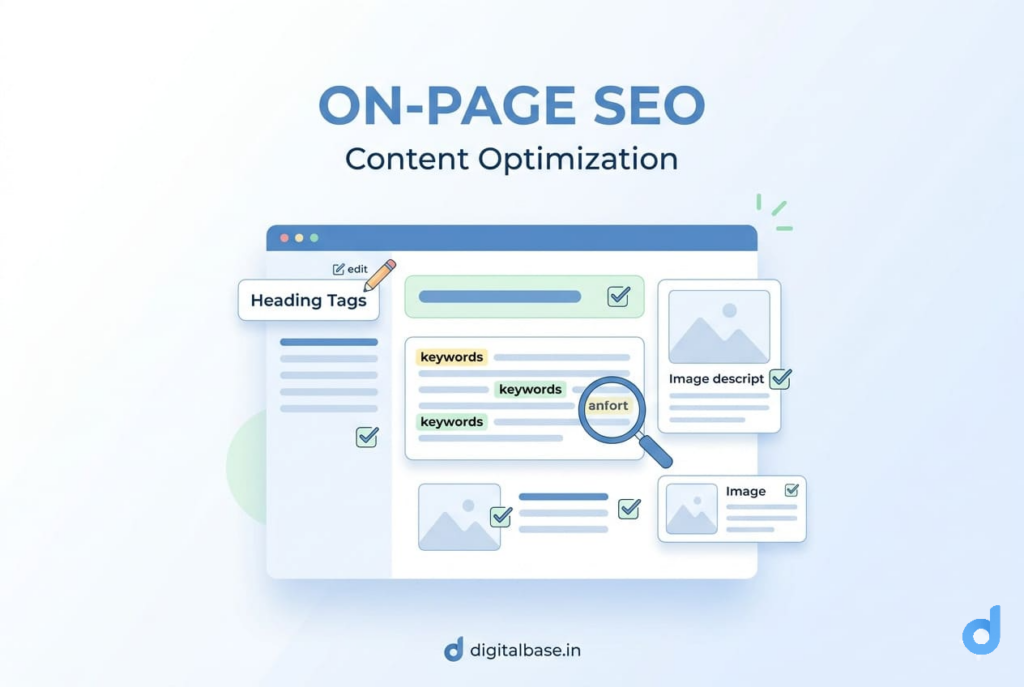
What is On-Page SEO? Home What is On-Page SEO? What is On-Page SEO? Vandana Raj March 31, 2026 Comments On-Page SEO is the practice of optimising individual web pages so that search engines like Google can understand what your page is about — and rank it higher in search results. Everything that lives on your page — your title, headings, content, images, and links — can either help or hurt your rankings. On-Page SEO is about making every element work in your favour. Simple analogyThink of your web page as a book. On-Page SEO is how you write the title, chapter headings, and back cover summary — so Google (the librarian) knows exactly what your book is about and who to recommend it to. On-Page SEO Elements 1.Meta Title — Your Most Important SEO ElementMost Important Element The Meta Title (also called the SEO Title) is the clickable headline that appears in Google search results and in the browser tab. It is the single most powerful On-Page SEO element — because it’s the first thing both Google and the reader see. Rules for a good title tag Keep it under 60 characters — Google cuts off anything longer in search result Include your focus keyword — Place it as close to the beginning as possible. Make it specific and useful — Tell the user exactly what they’ll get on the page. Every page needs a unique title — Never use the same title on two pages Add your brand name at the end — Helps with brand recognition in results. How to set your Meta Title in WordPressInstall Yoast SEO or RankMath → open any post or page → scroll to the SEO plugin box at the bottom → click “Edit Snippet” → type your Meta Title.This overrides what WordPress uses by default. 2.Meta Description — Your Free Ad in GoogleYour Search Ad The meta description is the short paragraph that appears below your title in Google results. Google doesn’t use it as a ranking factor directly — but it directly affects whether people click on your result. Think of your meta description as a free advertisement in Google. A good one gets more clicks. More clicks signals to Google that your page is valuable — which can indirectly help your ranking. <!– Above Image — > <meta name=”description” content=”Learn what On-Page SEO is with real examples. Covers title tags, keywords, headings and more — perfect for beginners.”/> Rules for a good meta description Keep it between 120–158 characters — Google truncates anything longer. Include your focus keyword — Google bolds the matching keyword in results, which catches the eye. End with a clear call to action — “Learn more”, “See examples”, “Start today”. Make it match the page content — Never mislead users with a description that doesn’t match the page. Real exampleYou run a Blog Website. Your meta description could say:“Learn SEO from scratch — step-by-step beginner guide with real examples, tips, and free tools. Start ranking your website on Google today.”That’s specific, keyword-rich, and gives the user a reason to click. 3.Headings (H1, H2, H3) — Structure Your PagePage Structure Headings are the titles and subtitles within your content. They help Google understand the structure and hierarchy of your page — and help readers scan your content quickly. The rules Use only ONE H1 per page — It’s your page title. Using two H1s confuses Google. Include your focus keyword in the H1 — This is the strongest on-page signal you can send. Use H2s for main sections — Break your long content into logical chapters. Use H3s for sub-points — Go deeper inside each H2 section. Don’t skip levels — Don’t jump from H1 to H3. Keep the hierarchy clean. 4.Keywords — Where and How to Use ThemNatural Placement A keyword is the word or phrase someone types into Google. On-Page SEO means making sure your page contains the right keywords in the right places — naturally, without forcing them. So Google knows your page is relevant to those searches. ExampleIf someone searches “what is SEO for beginners” and your page uses that exact phrase in the title, headings, and content — Google understands your page is highly relevant.That’s keyword optimization The 6 places your keyword must appear Avoid keyword stuffingWriting “buy cheap laptops, best cheap laptops, cheap laptops India, cheap laptops online” over and over is keyword stuffing. Write naturally — use your keyword once in the title, once in the H1, and a few times in the body. 5.URL Structure — Short, Clean, and Keyword-RichClean URLs Your URL (the web address of your page) should be short, readable, and include your focus keyword. Google reads your URL to understand what your page is about — and users see it in search results too. Clean URL vs messy URL ✓ GOOD digitalbase.in/on-page-seo/ Short · keyword · readable ✗ BAD digitalbase.in/p?id=4721&cat=38&ref=blog_post_2025 Long · no keyword · confusing for both Google and users URL best practices Use hyphens, not underscores — on-page-seo not on_page_seo Keep it lowercase — /on-page-seo/ not /On-Page-SEO/ Remove stop words — Remove “a”, “the”, “is”, “and” to keep URLs short. Include your keyword — The URL slug should reflect the page topic. Never change a live URL — Changing a URL breaks existing links. Set it right the first time. 6.Image Optimisation — Alt Text, File Names, and SpeedImage Optimisation Google cannot see your images the way a human can. It reads the alt text (alternative text) you write to understand what the image shows. Proper image optimisation helps you rank in both regular Google Search and Google Image Search. <!– Bad: Google has no idea what this image is –> <img src=”IMG_4729.png ” alt=””/> <!– Good: Google understands both the image and the context –> <img src=”on-page-seo-checklist.png” alt=”on-page SEO checklist for beginners”/> Three things to fix on every image File name — Name the file descriptively before uploading: on-page-seo-checklist.png . Never upload IMG_4729.png Alt text — Describe what the image shows, naturally including the keyword if relevant. File size — Compress images before uploading. Large images slow down your page, which hurts ranking. Use tools like TinyPNG or Squoosh. 7.Internal Linking — Keep Readers (and Google) MovingConnect Your Pages An internal link is a link from one page on your website to
What is SEO?, SEO Course for Beginners: Step-by-Step Guide
What is SEO? Home What is SEO? What is SEO? Vandana Raj March 27, 2026 Comments SEO stands for Search Engine Optimization. In simple terms, SEO is the process of making your website easy for search engines like Google, Bing, and Yahoo to understand — so they can show your website to people who are searching for topics related to your content. Think of it this wayGoogle has billions of web pages to choose from. SEO helps Google understand that your page is the best answer to someone’s question — so it shows your page first. When done right, SEO brings free, targeted traffic to your website — people who are already looking for exactly what you offer. No ads. No daily budget. Just people finding you naturally. Why is SEO Important? Here’s the truth: 93% of online experiences begin with a search engine. If your website doesn’t appear on the first page of Google, most people will never find you. SEO is important because it helps you: Get free visitors — Unlike paid ads, organic traffic from SEO costs nothing per click. Build trust — People trust Google. If your site ranks high, visitors automatically trust you more. Grow long-term — A well-optimized page can bring traffic for months or even years. Beat competitors — Outranking a competitor on Google is like being the only shop on the main street. Reach the right audience — SEO connects you with people actively searching for your product or service. 27% of all Google clicks go to the #1 result.By position #10, that drops to less than 3%. The same search — but 9× fewer visitors. That’s why ranking matters, and why SEO is worth learning A Simple Real-World SEO Example Let’s say you publish a blog on your site about “What is SEO?”Someone searches on Google:“What is SEO for beginners” Google shows the most helpful, well-optimized articles at the top. Your blog is optimized (proper headings, keywords, fast loading, helpful content)→ Appears on page 1 → Gets more clicks, traffic, and trust → Visitors explore your courses If Not optimized→ Your blog is on page 5 → Almost no clicks → Even great content goes unnoticedWithout SEOPage is not optimizedBuried on Page 5 or beyondUser never sees your siteYou lose the saleWith SEOPage is properly optimizedAppears on Page 1 of GoogleUser clicks your resultYou get the sale How Does SEO Work? Google doesn’t manually pick which website comes first. Instead, it uses automated programs called crawlers (also called bots or spiders) that constantly browse the internet. These crawlers follow links, read your content, and report everything back to Google. Once Google reads your website, it goes through three powerful steps — and these steps run every second, for every search, worldwide: STEP 1 : Crawling — Google Discovers Your Website Text coGoogle uses automated programs called crawlers — also known as bots or spiders. Their job is to travel across the internet, visit websites, follow links, and read your content. Think of Google’s crawler like a traveller exploring a new city. It follows every road (link) it finds, reads every sign (your content), and takes notes to bring back to Google headquarters.ntent What this means for your website: If Google’s crawler can’t access your site — blocked settings, broken links, or errors — it won’t understand your content. If your pages are not linked to each other, the crawler may never find some of them. A clean, well-structured website makes crawling fast and easy. Critical: If Google can’t crawl your site properly, it won’t understand your content — and it will never rank you. Crawling is the first gate. Fail here, and nothing else matters. Step 02 : Indexing — Google Stores Your Page After crawling, Google decides whether to store your page in its database — called the Google Index. This is Google’s giant digital library of every web page it knows about. If your page gets indexed, it lives in the library and can appear in search results. If it doesn’t — it’s as if it doesn’t exist. Check if your site is indexedOpen Google and search site:yourwebsite.com — if pages appear, you’re indexed. If nothing appears, that’s a problem to fix. Step 03 : Ranking — Google Decides Your Position This is the step everyone cares about.When someone searches on Google, it scans its index and ranks pages in order — best on top — in under one second. Google uses over 200 ranking factors to decide position #1. The main ones : RelevanceDoes your content answer what the user searched for? Content QualityIs your content clear, detailed, helpful, and original? Website SpeedDoes your page load fast, especially on mobile? User ExperienceIs your site easy to read, navigate, and use? Authority (Backlinks)Do other trusted websites link to your content? SEO is the work you do to score higher on all of these — so Google has every reason to put you at the top. Types of SEO — and Why You Need All Three SEO is not just one thing. For Google to crawl, index, and rank your website properly, you need to work on three different areas — each one handles a different part of your website Think of it as a three-legged stool.Remove any one of the three legs — On-Page, Off-Page, or Technical — and the whole thing becomes unstable. You need all three working together for strong, lasting rankings. FAQs What does SEO stand for? SEO stands for Search Engine Optimization — the process of optimizing a website so it ranks higher in search engine results pages (SERPs) like Google(SERPs) like Google Is SEO free? Yes — organic SEO is completely free. You don’t pay Google for rankings. However, it takes time, effort, and sometimes paid tools to do it effectively. The long-term results are far more sustainable than paid advertising. What are the 3 steps of Google Search? Crawling — Google’s bots visit and read your site.Indexing — Google stores your page in its database.Ranking — Google orders pages by relevance, quality, and authority when someone searches. What is the difference between SEO and paid ads? Paid ads (like Google Ads) give instant visibility but cost money every time